
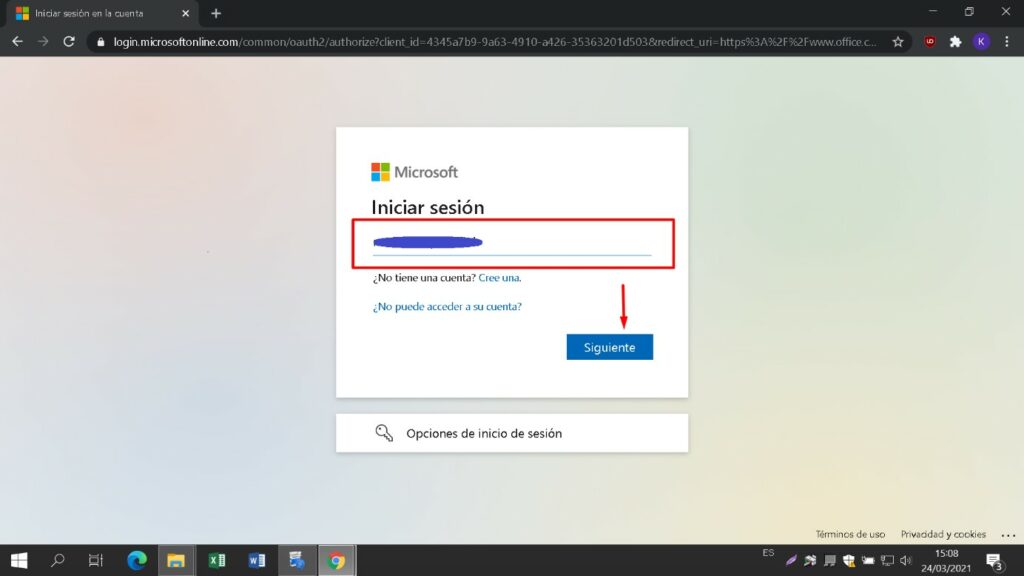
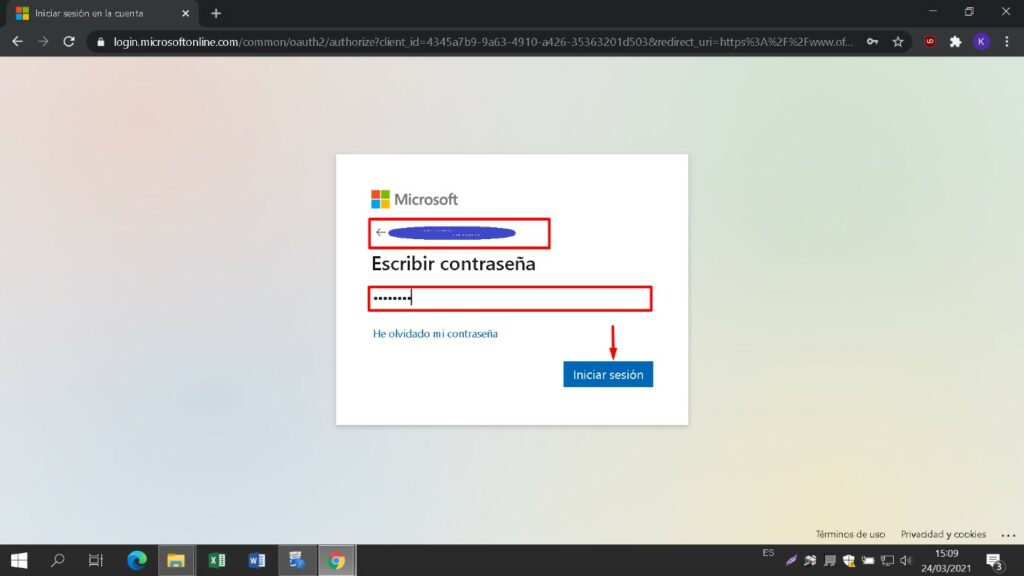
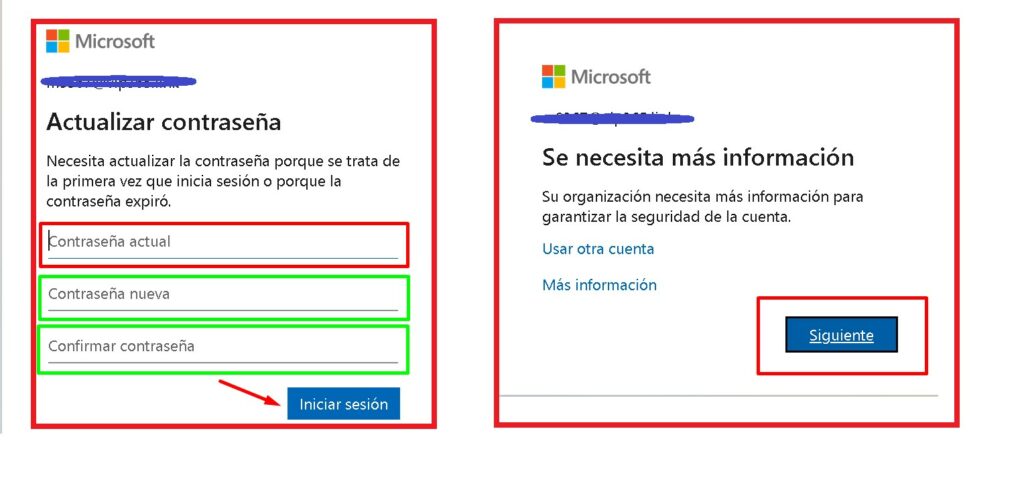
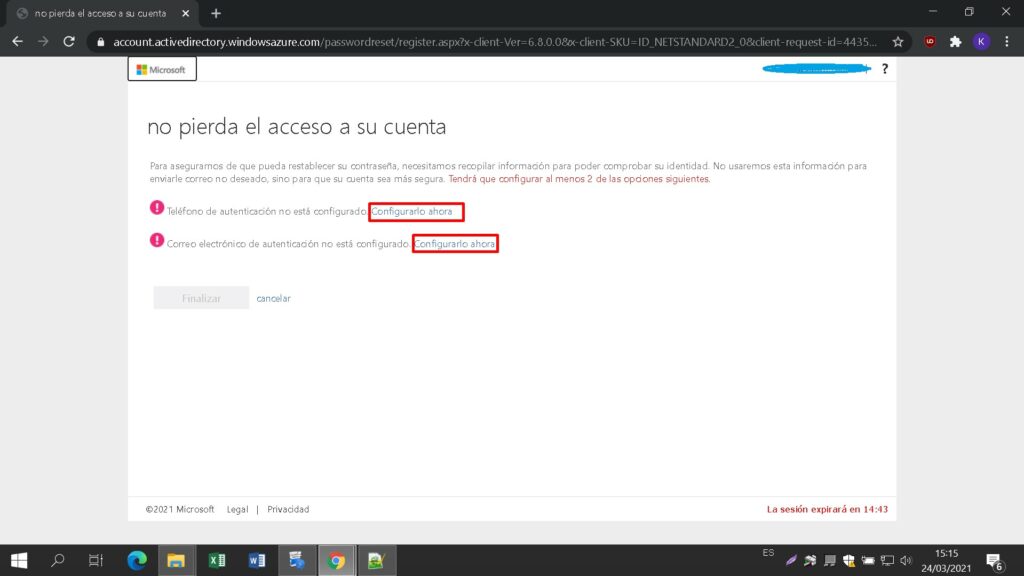
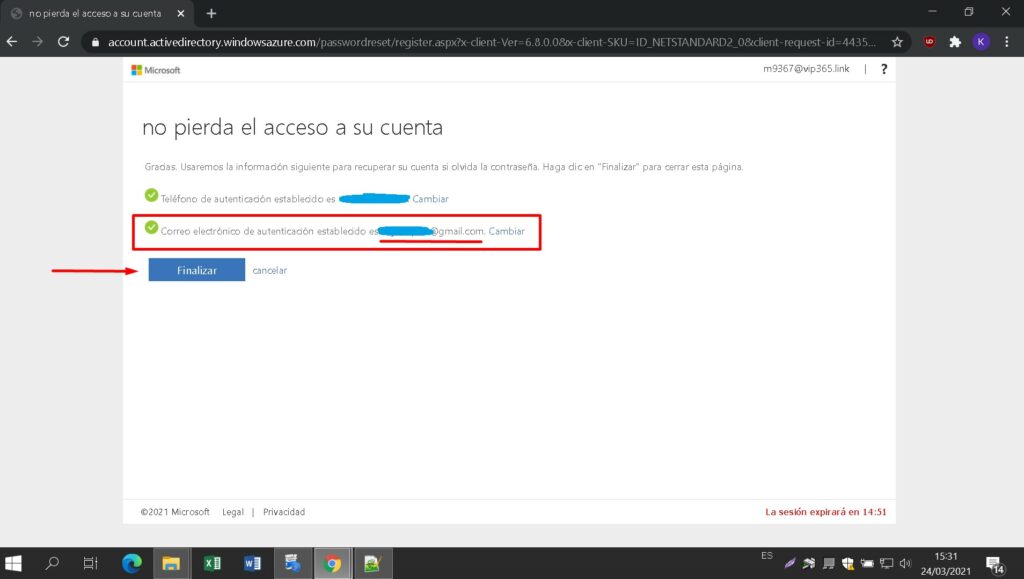
Enter a new password to take possession of your purchased product. In the first field use the password sent to your e-mail, in the next two enter the new password of your choice. Make sure it contains at least 8 digits with at least one capital letter.
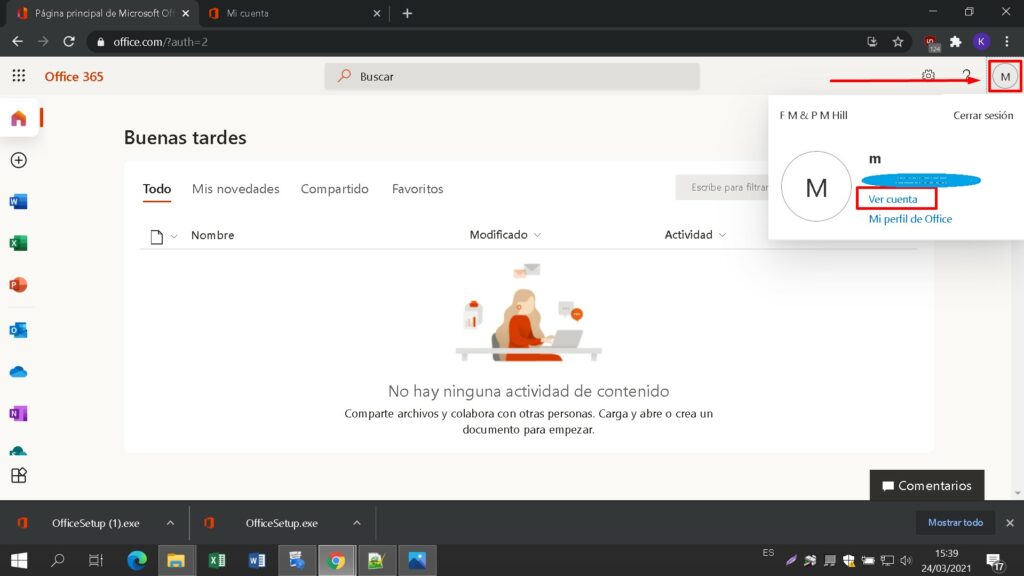
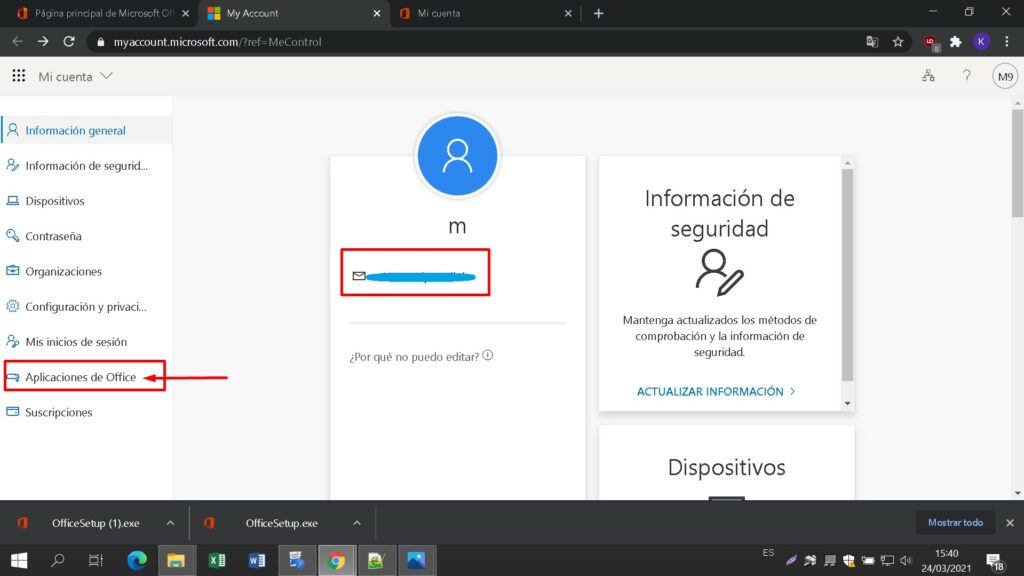
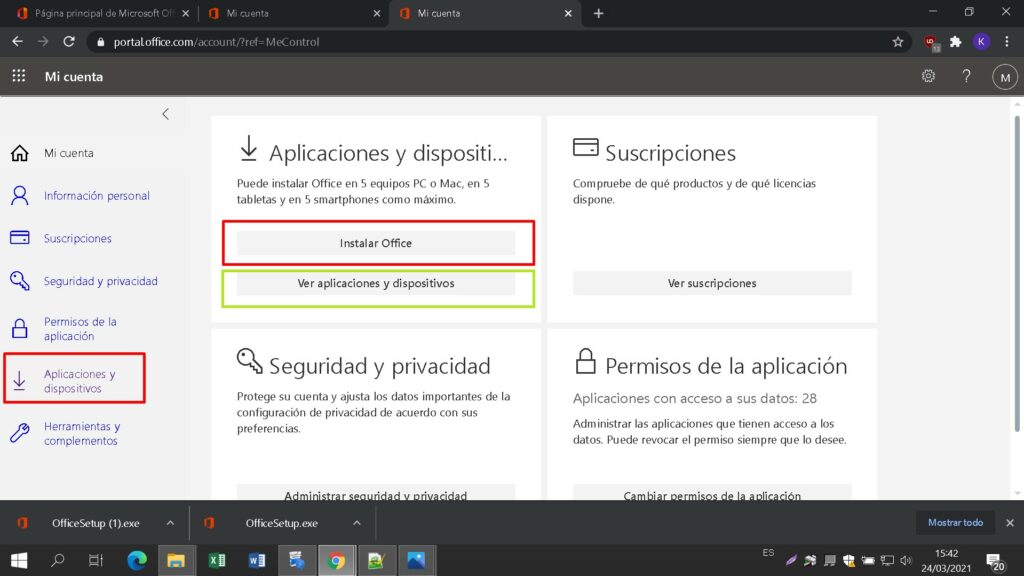
Once logged into your account, under the “My Account” section, click “Manage Installations” to begin the installation process.
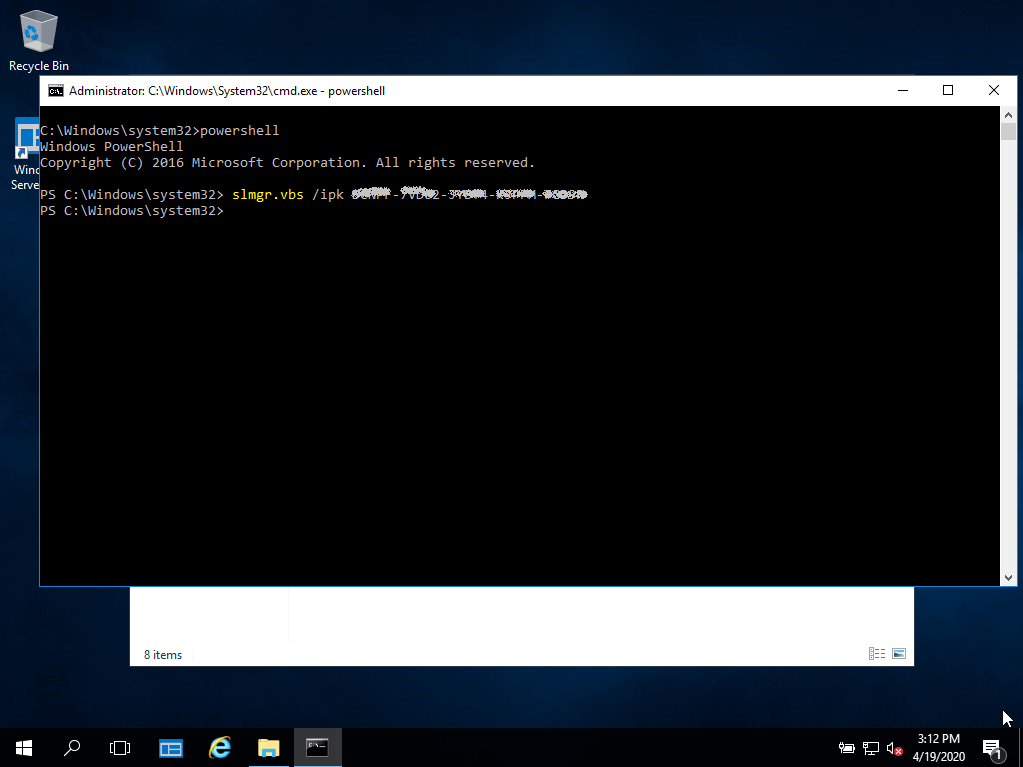
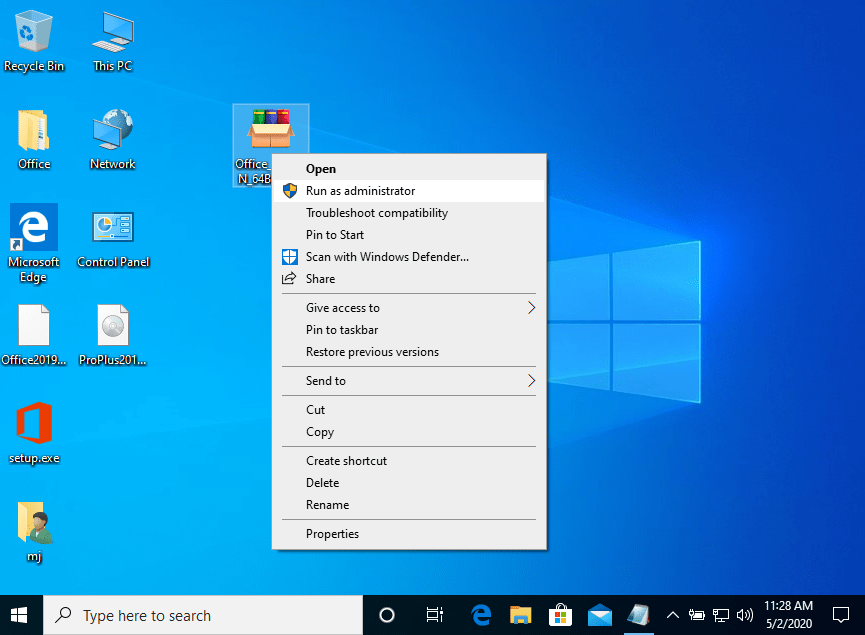
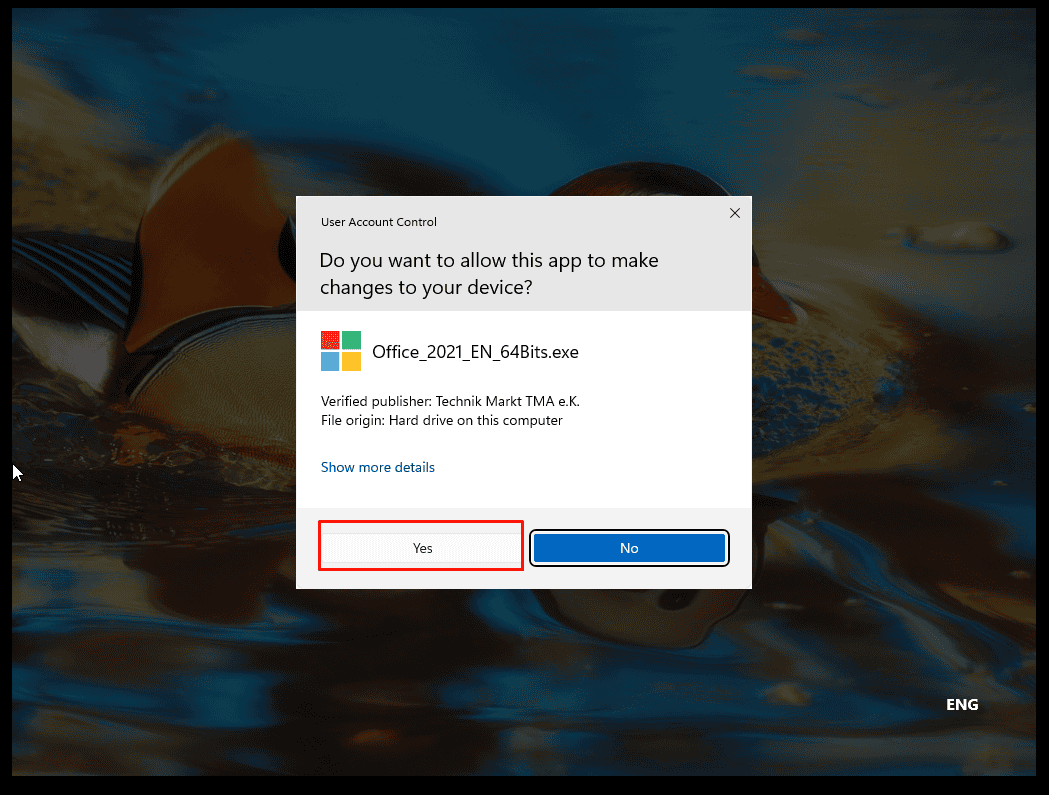
Βρείτε το αρχείο εγκατάστασης που κατεβάσατε (συνήθως βρίσκεται στο φάκελο Downloads). Κάντε δεξί κλικ στο αρχείο και επιλέξτε “Εκτέλεση ως διαχειριστής”. Θα ερωτηθείτε αν θέλετε να αφήσετε την εφαρμογή να κάνει αλλαγές στη συσκευή σας. Κάντε κλικ στο “Ναι”.
Σημαντικό: πρέπει να είστε συνδεδεμένοι στο διαδίκτυο για να ολοκληρώσετε την εγκατάσταση, καθώς ο εγκαταστάτης θα κατεβάσει τα απαραίτητα αρχεία απευθείας από τη Microsoft.
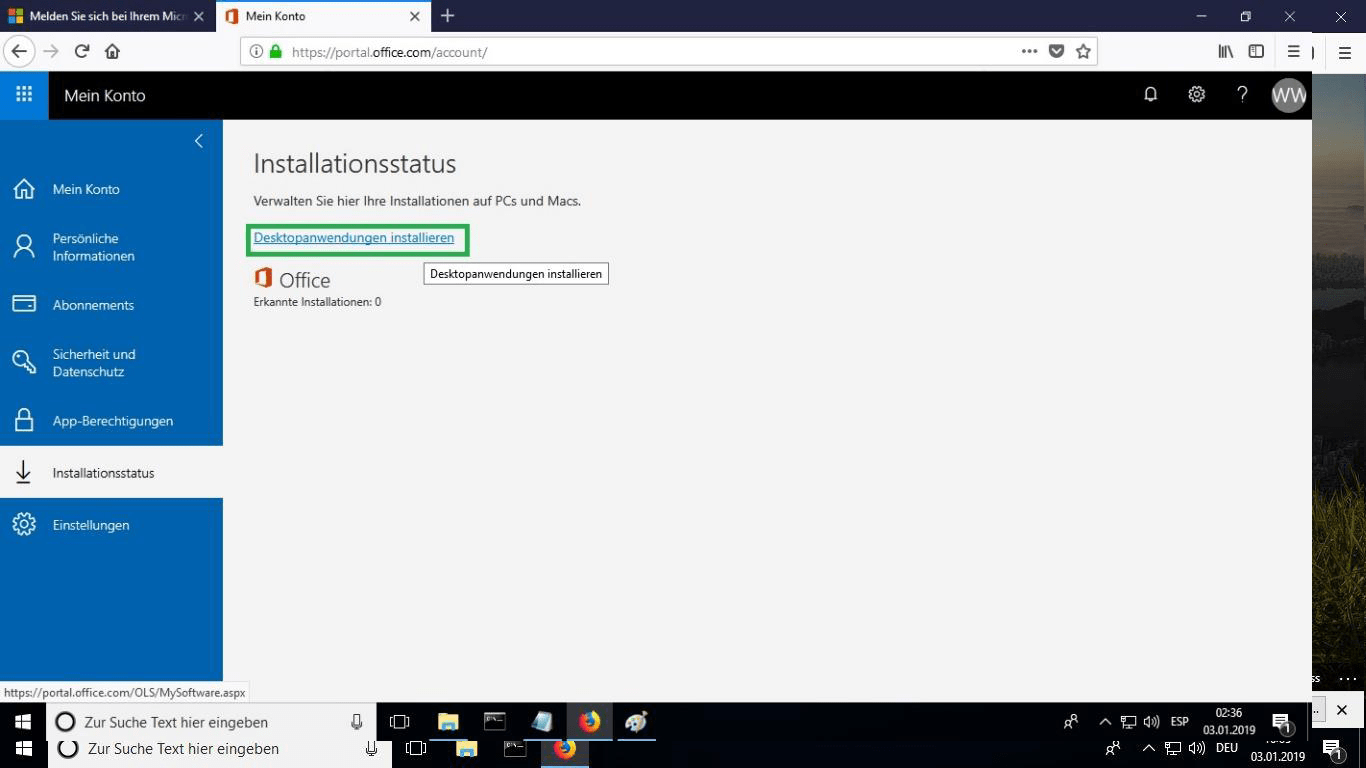
Under “Installation Status” click “Install Desktop Applications.” This option will vary if you are installing the product on your tablet or mobile device.
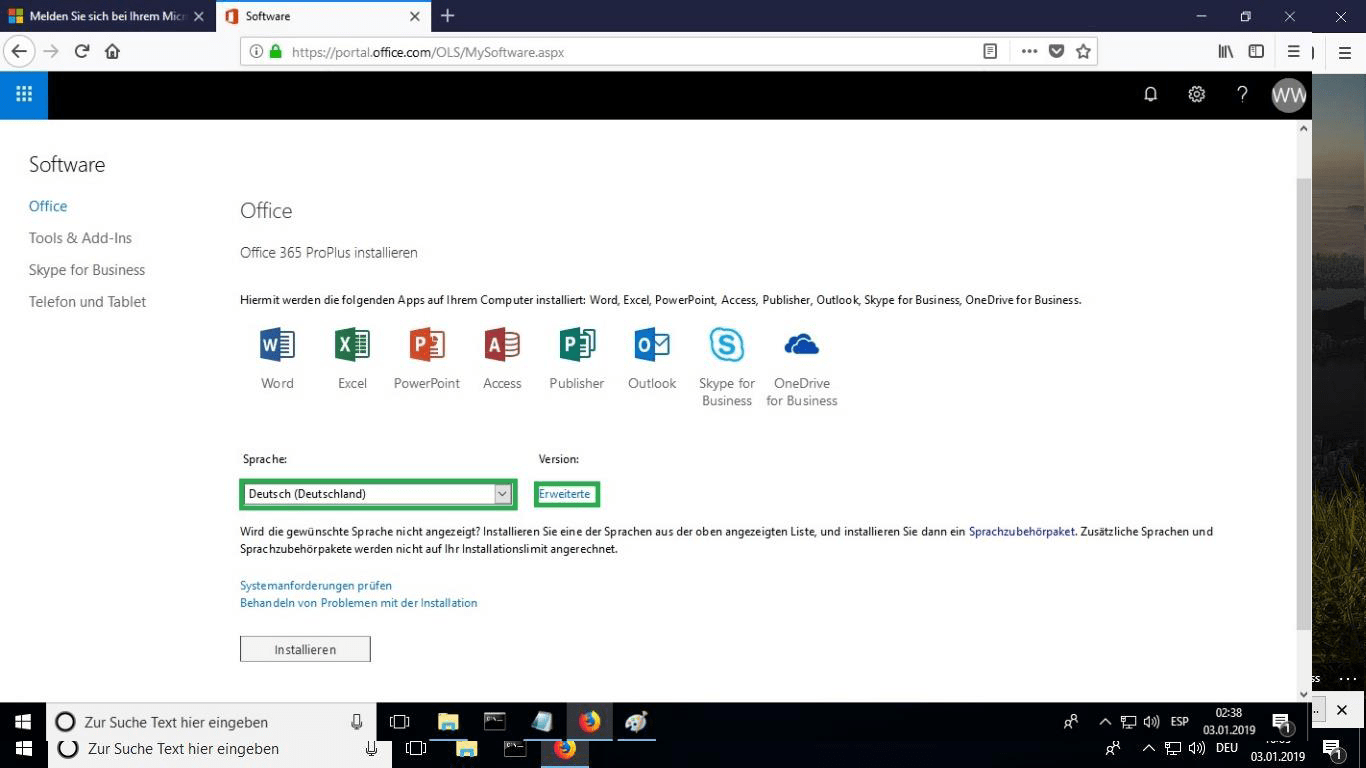
Select the language of your preference from the drop-down menu marked “language”. The product will be installed by default in the 32-bit version. If you want to install the 64-bit version click on the “advanced” option.
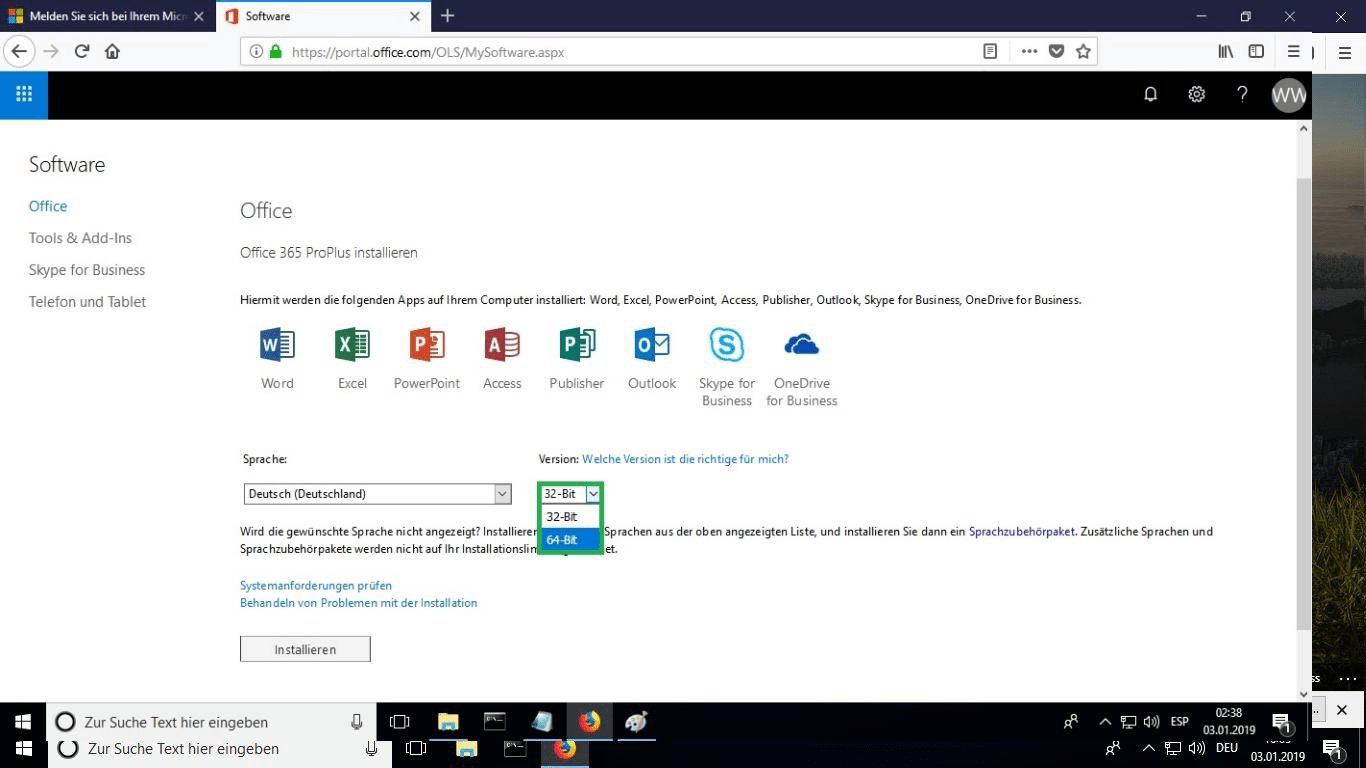
Select the desired version between 32 or 64 bits.
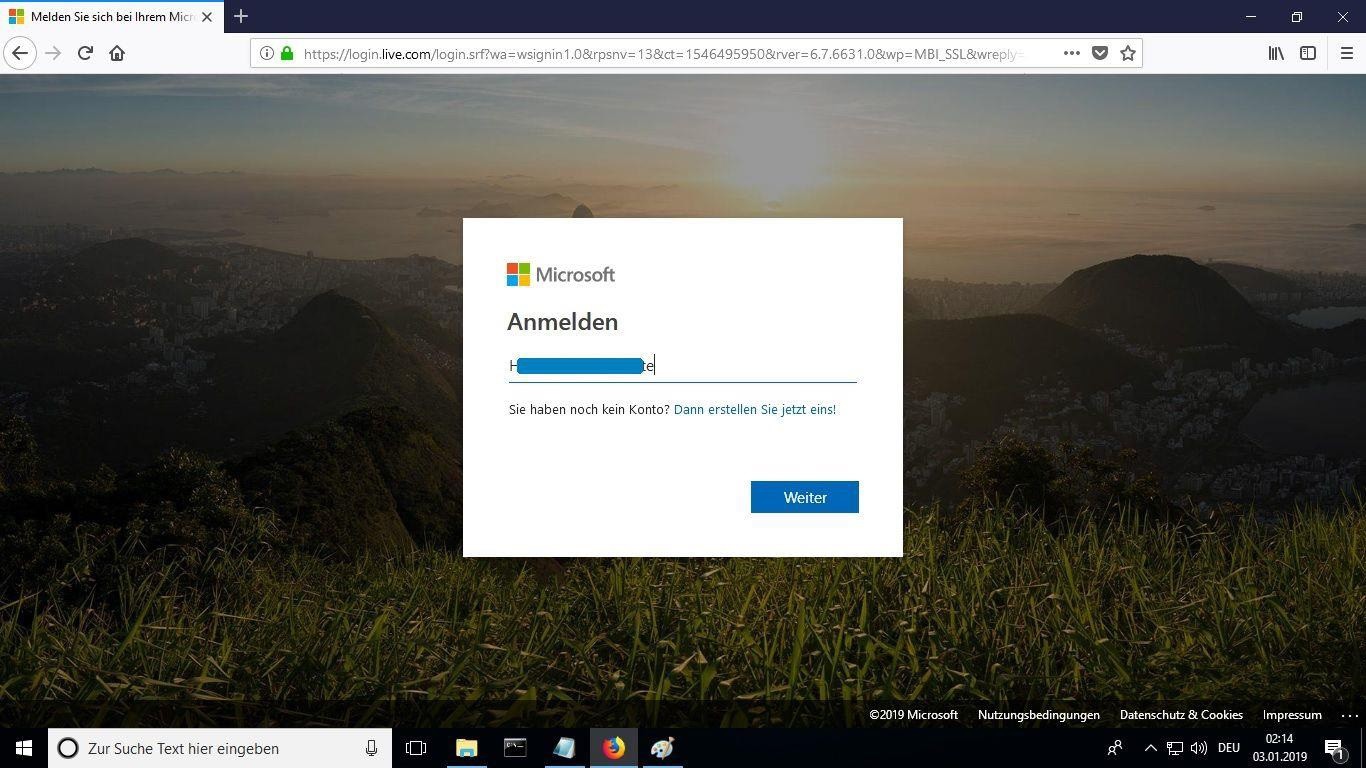
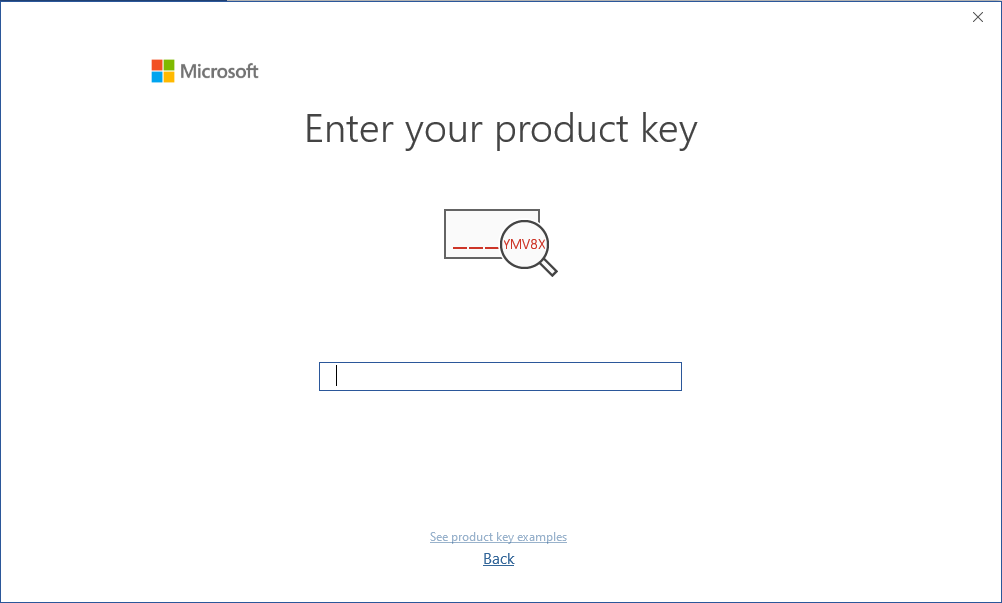
Συνιστάται να πλήρες την εγκατάσταση και την ενεργοποίηση του προϊόντος πριν συνδεθείτε με το λογαριασμό σας στη Microsoft.
After you have chosen all the desired options, click “Install.”
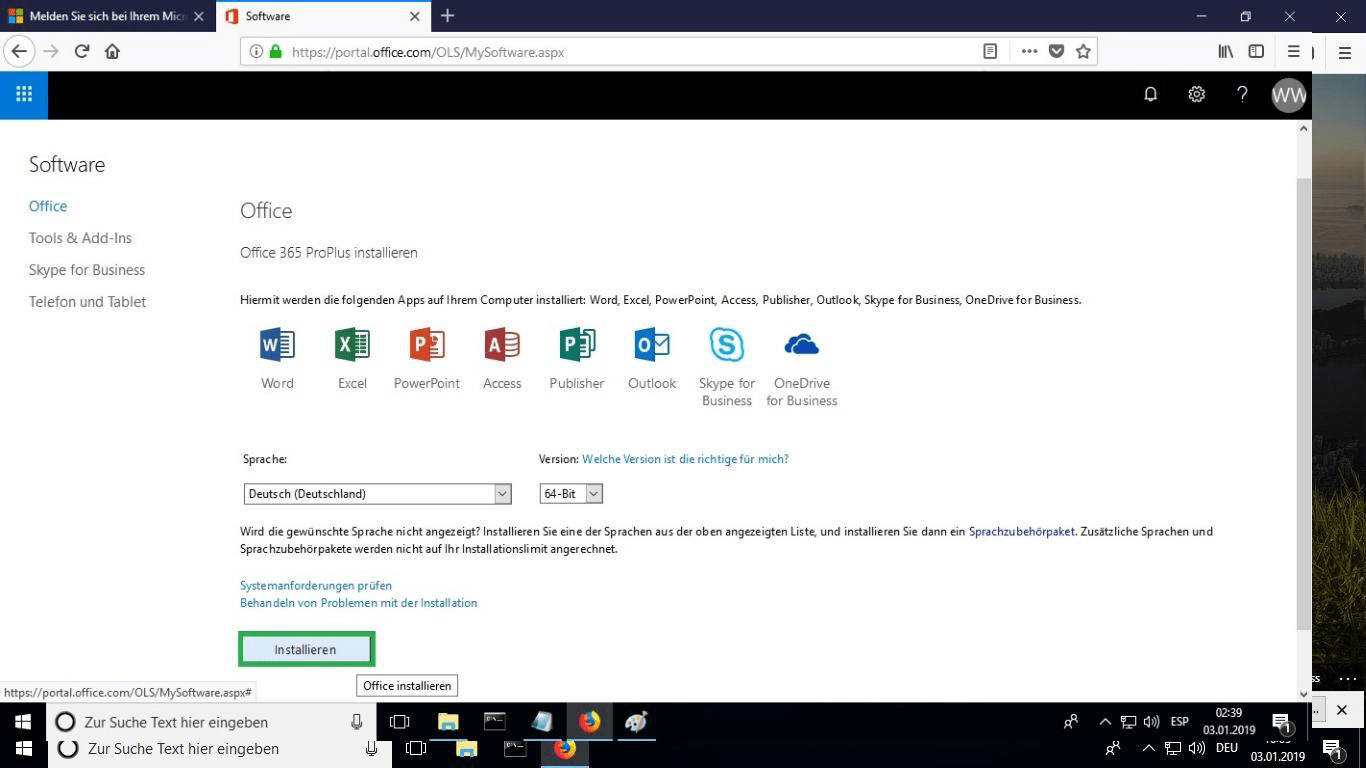
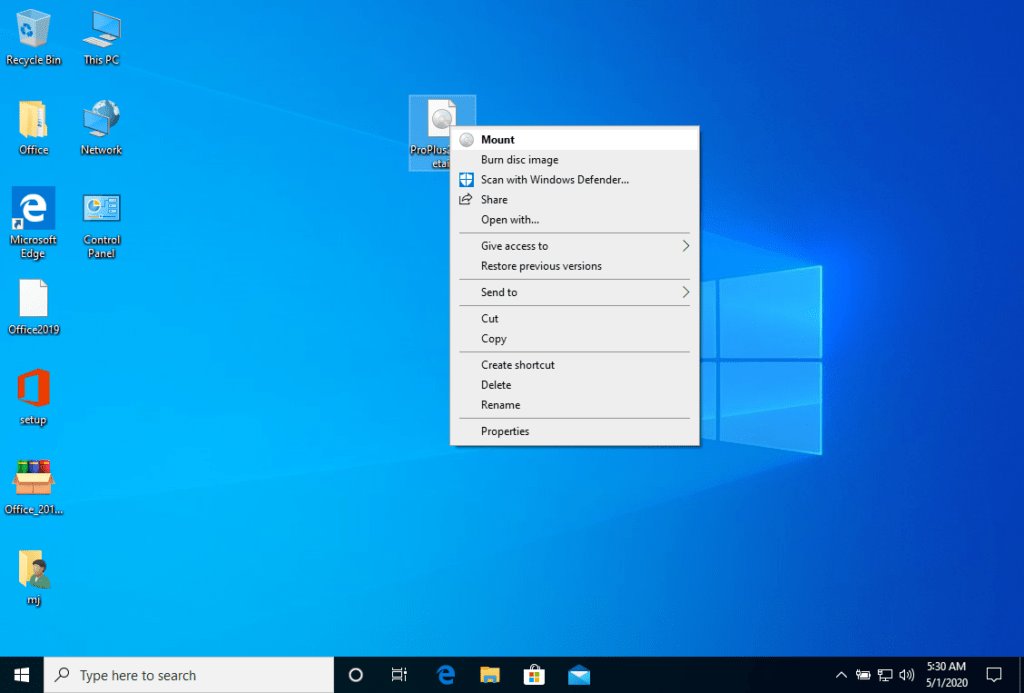
The installation file will be downloaded, choose “burn file” when required.
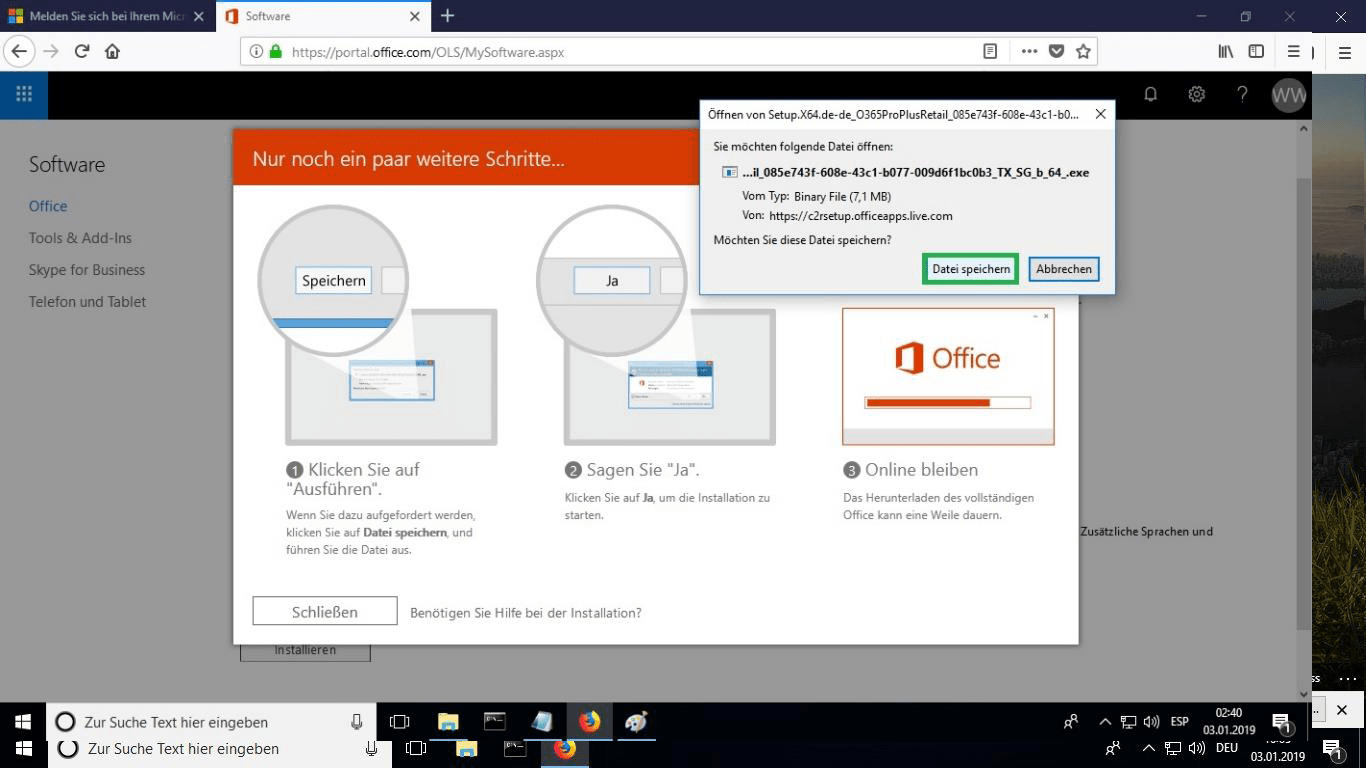
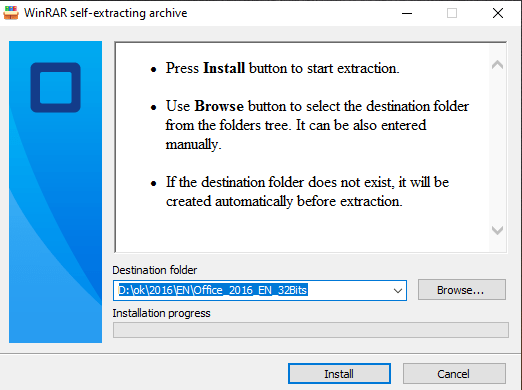
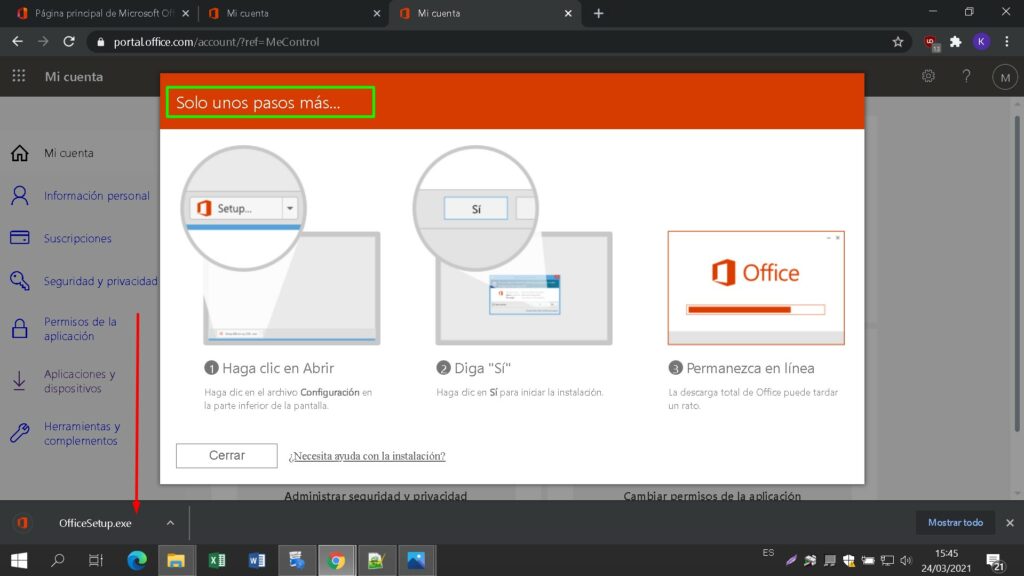
Once the file has been downloaded double click on it to start it. Its location may vary depending on your browser.
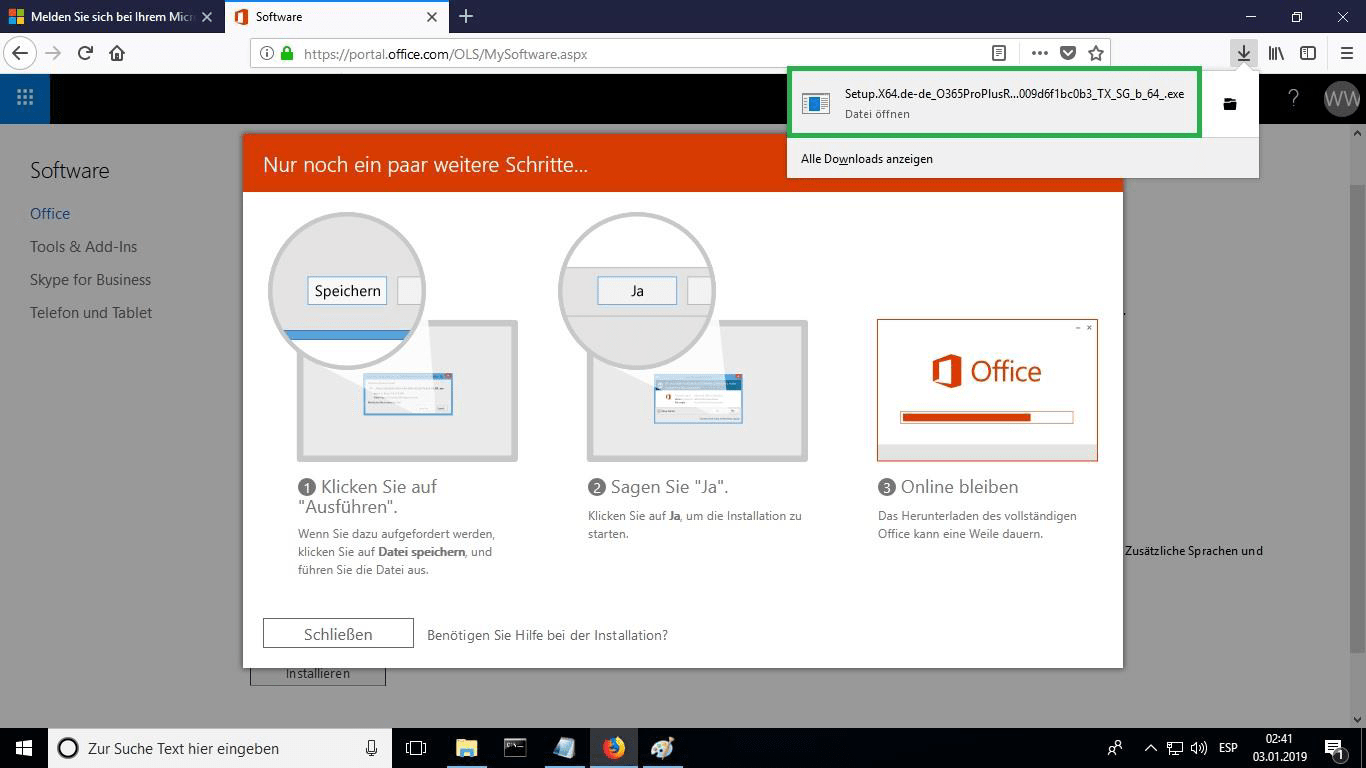
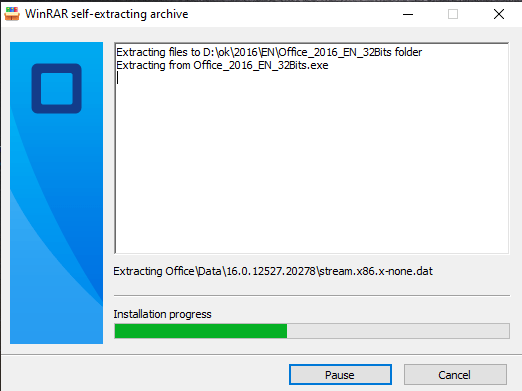
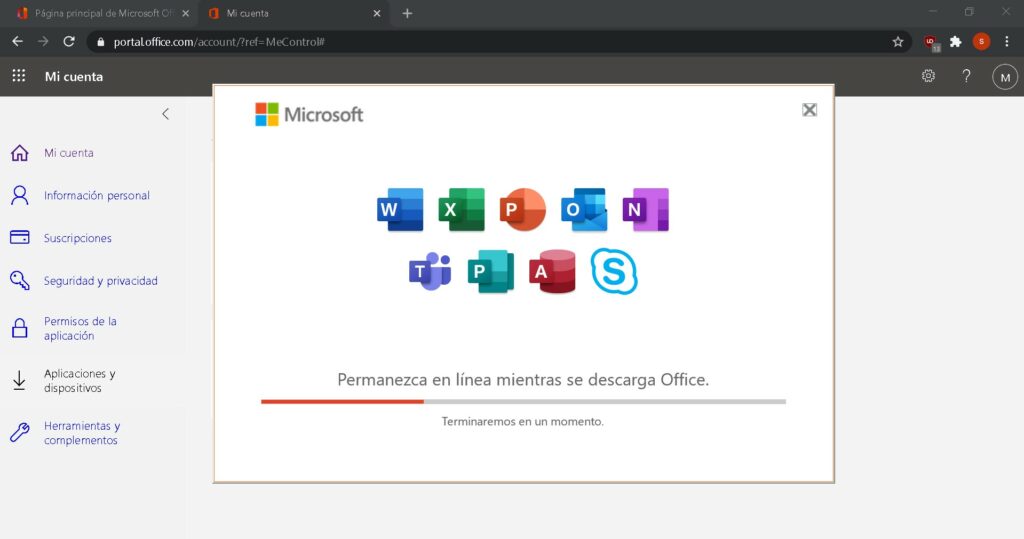
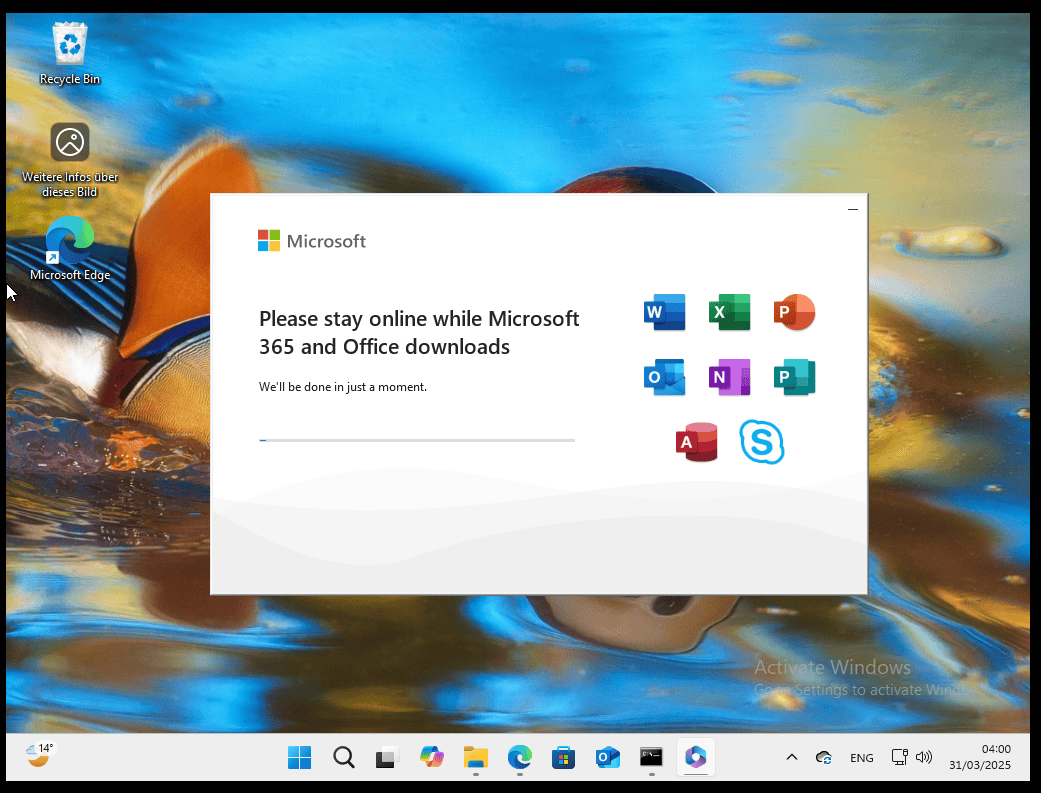
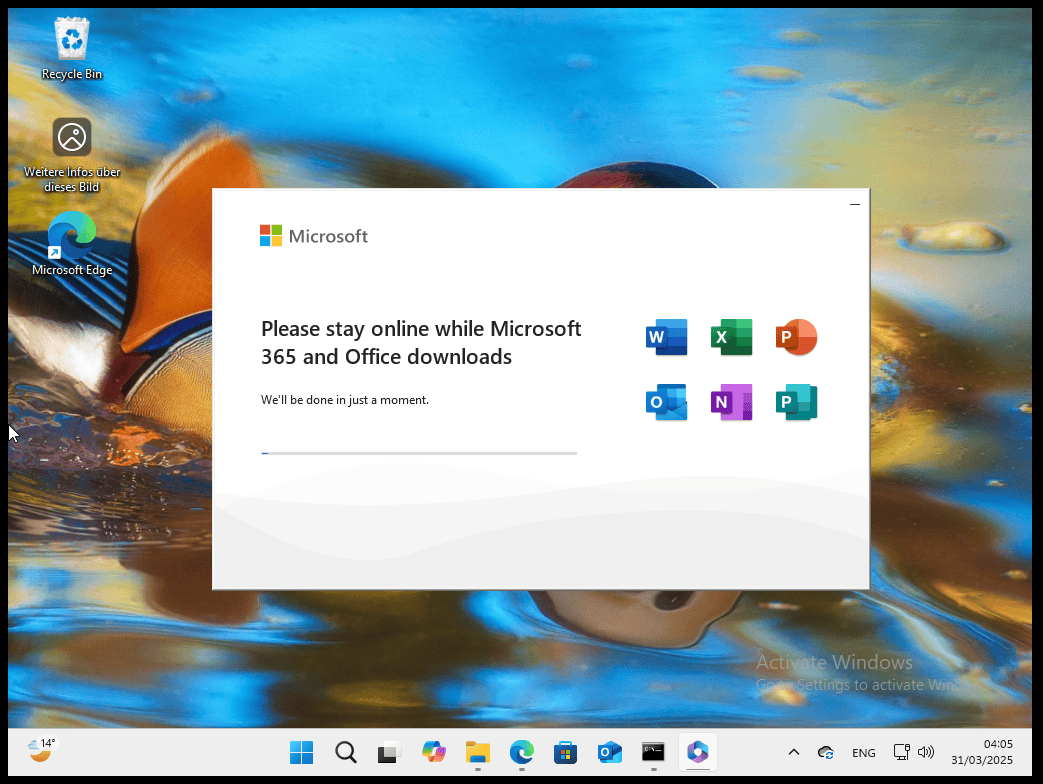
This will start the online installation process. Depending on your Internet connection speed, the process may take 30 or more minutes.
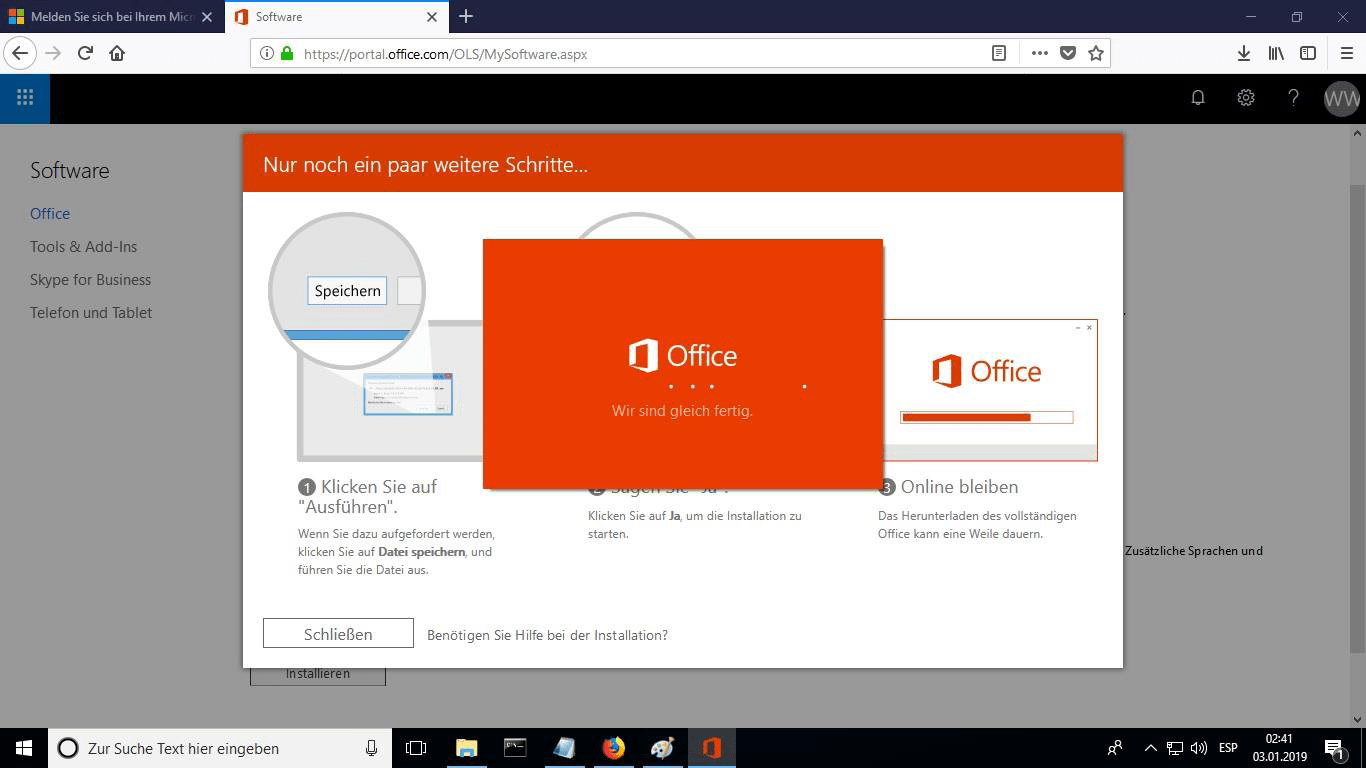
You will be able to see the progress bar of the installation.
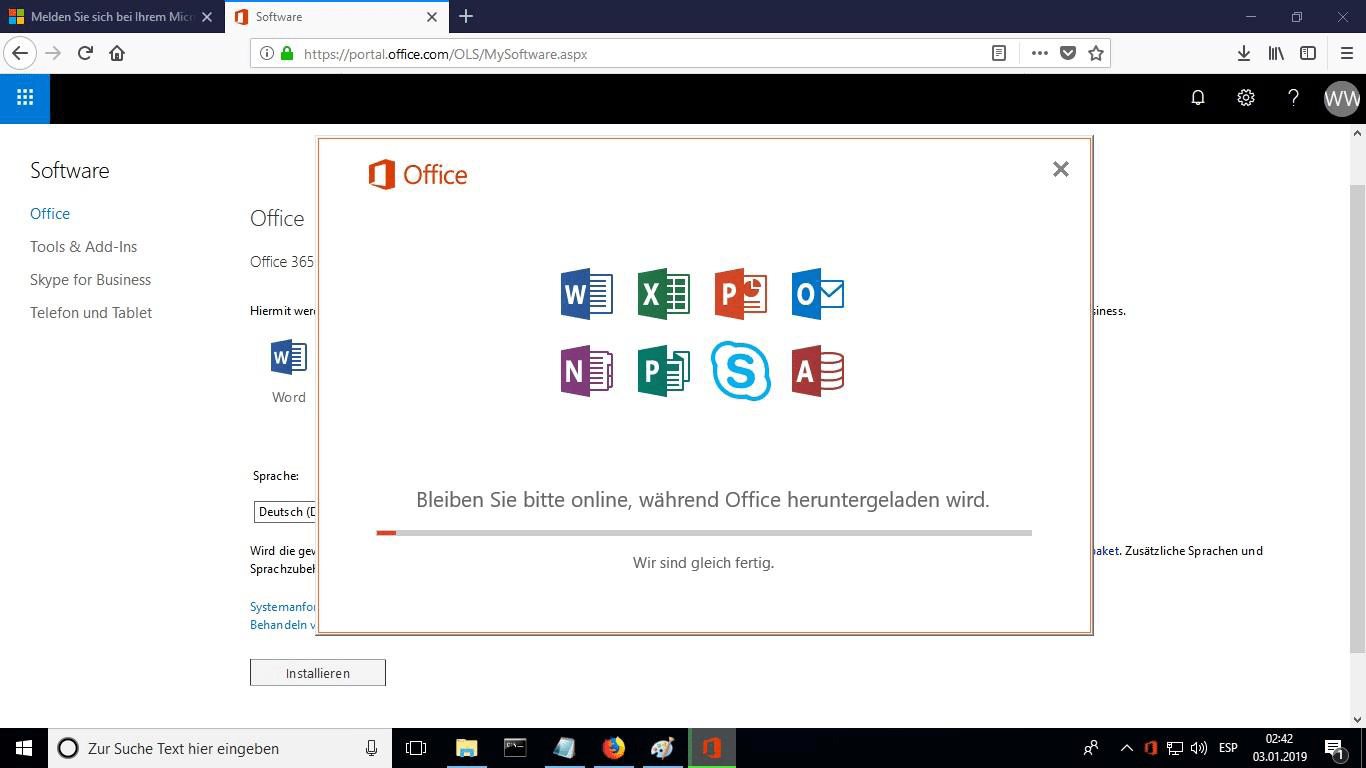
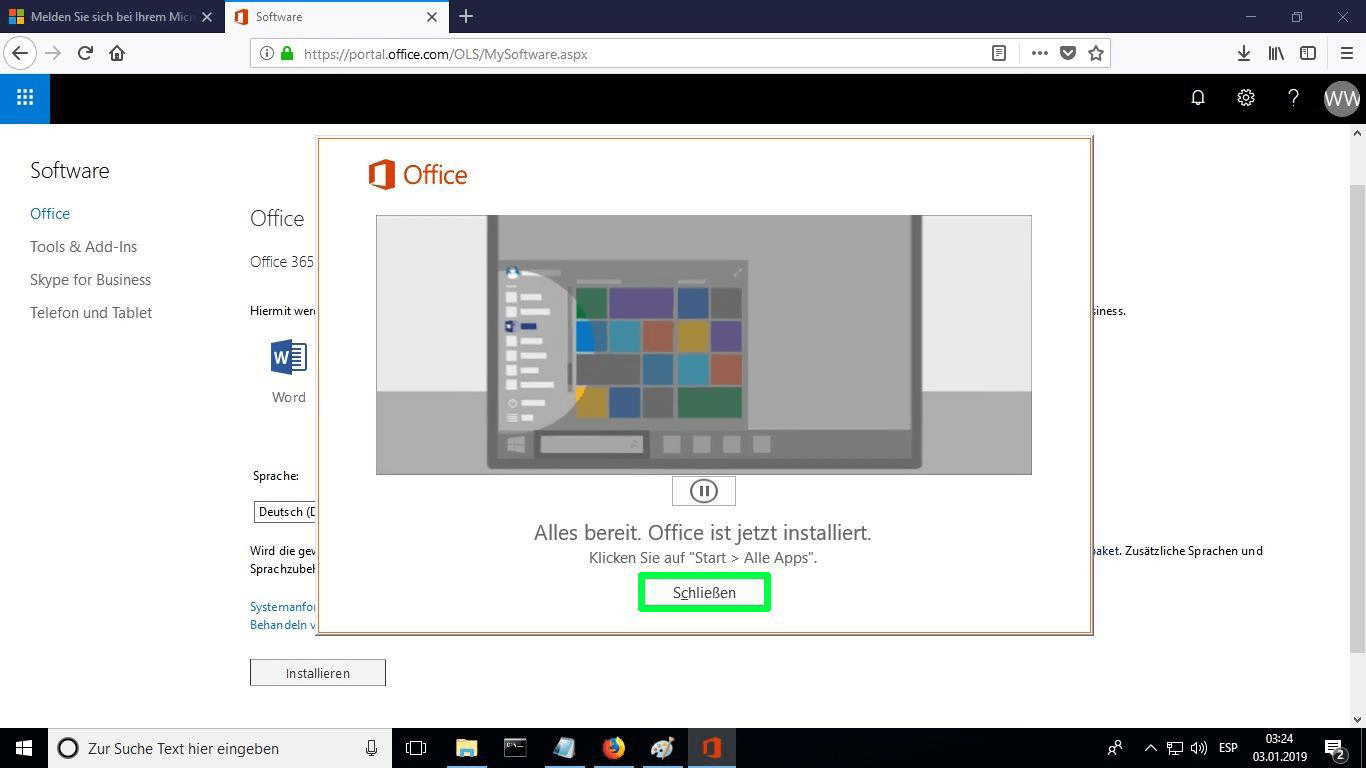
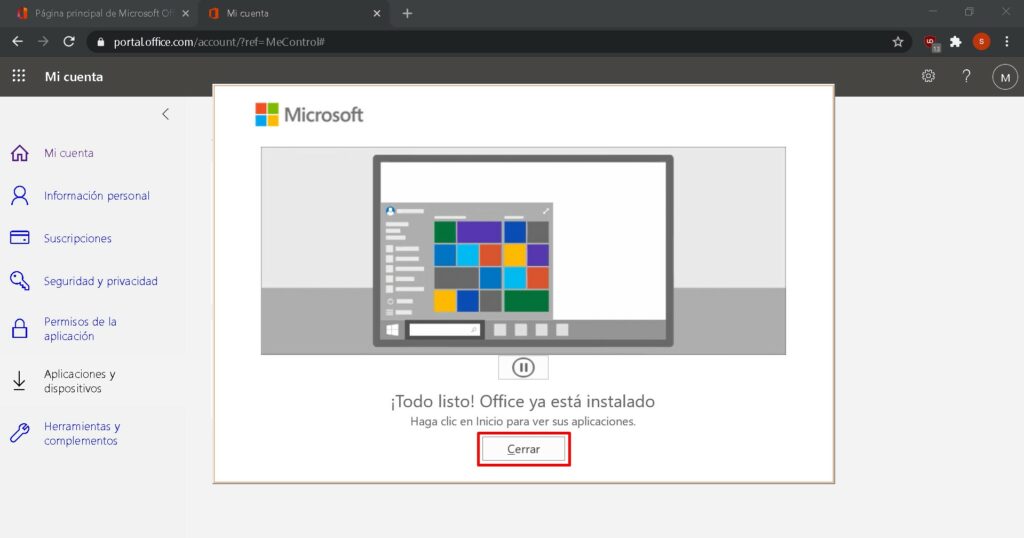
Once the installation is complete click “Close”. Now you can find the Microsoft Office packages in your Start Menu or using the Microsoft Windows search option.
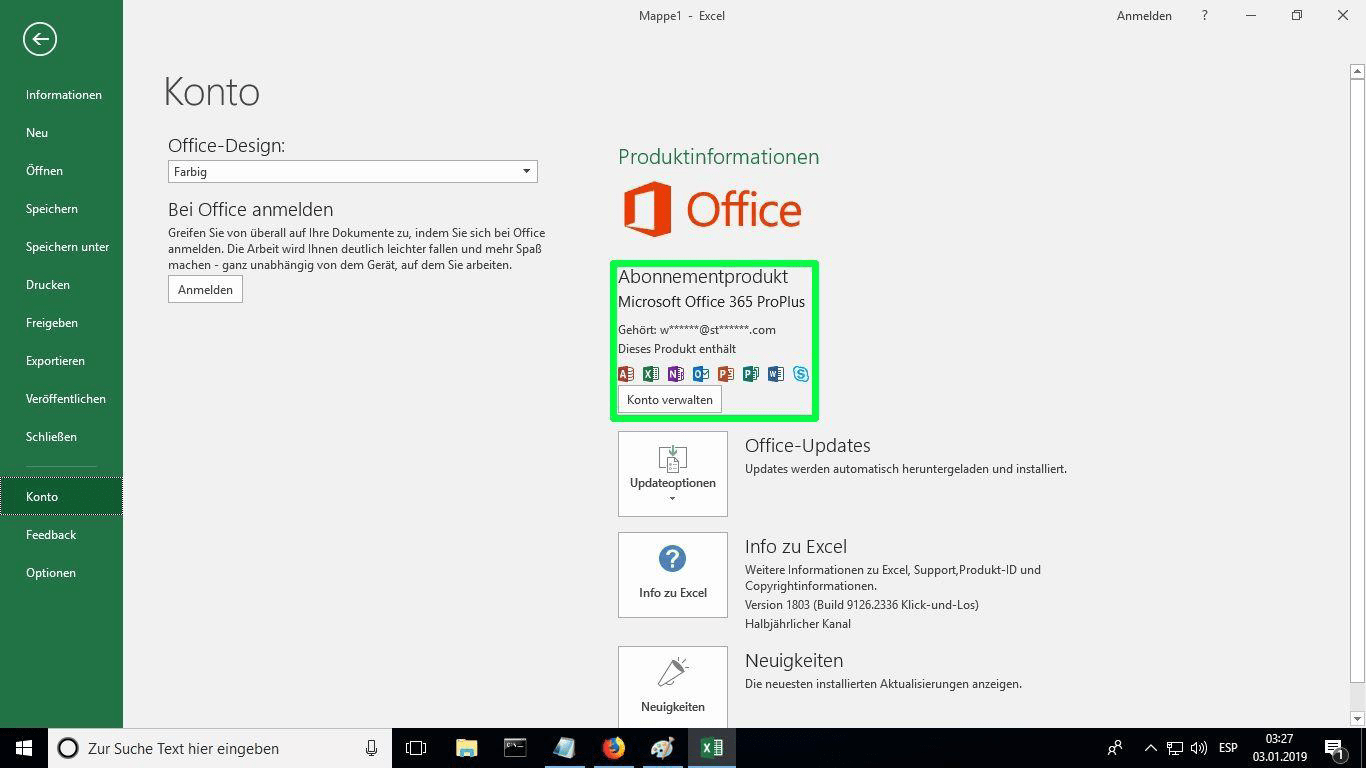
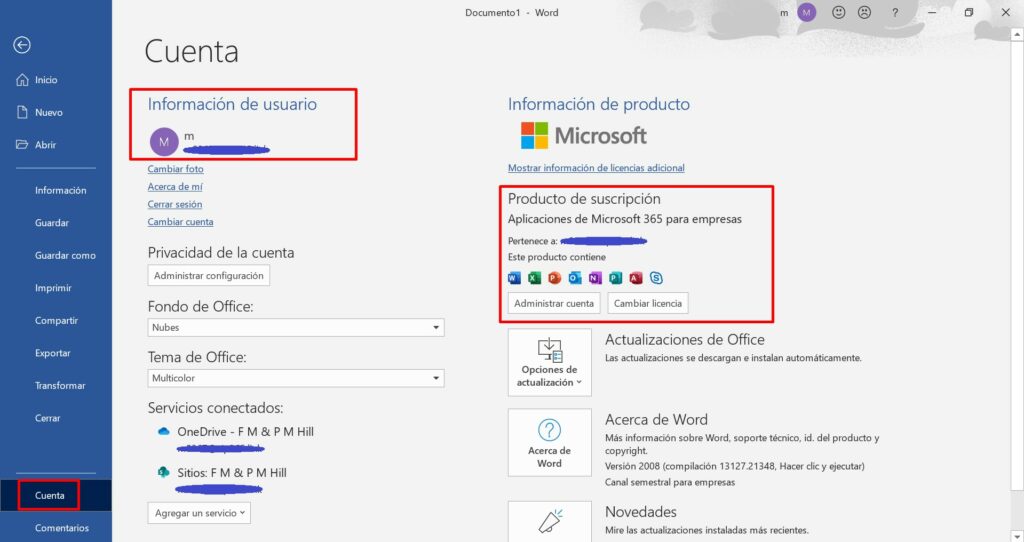
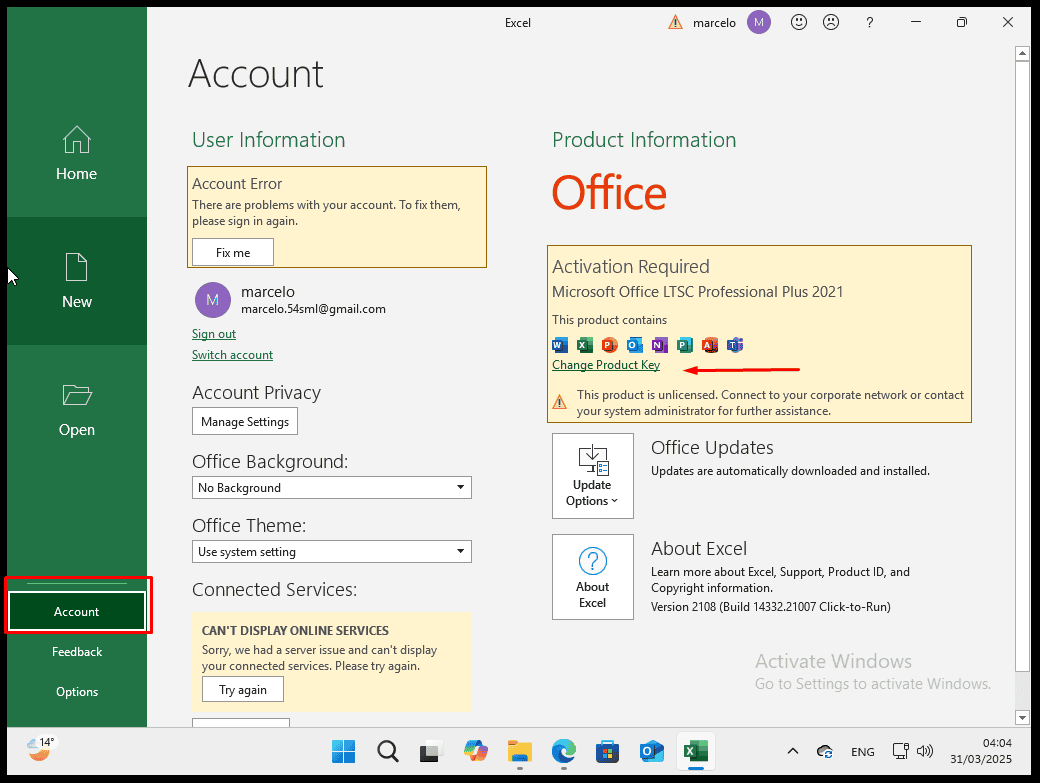
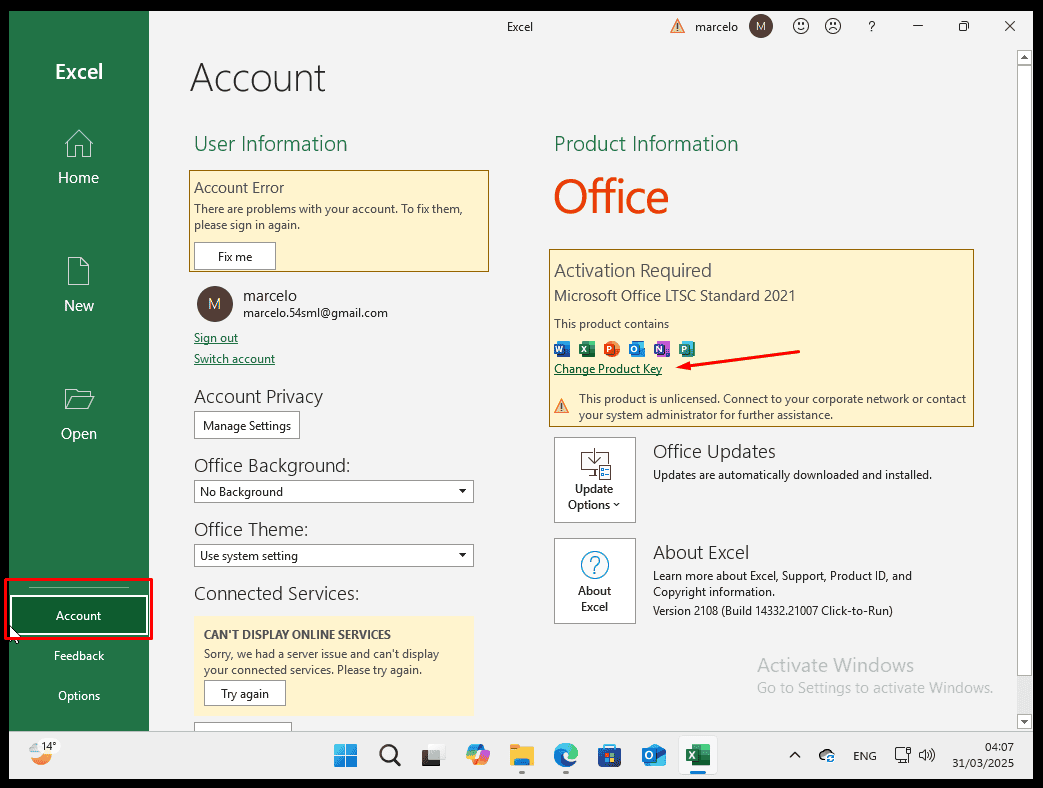
In order to verify that the product activation has been carried out, you can open any Microsoft Office package such as Excel and go to File-> Account ”. You will see the Microsoft account associated with the product.


 Ελληνικά
  English
  Deutsch
  Italiano
  Français
  Nederlands
  Suomi
Suomi  Norsk bokmål
  Svenska
  Dansk
Dansk  Español